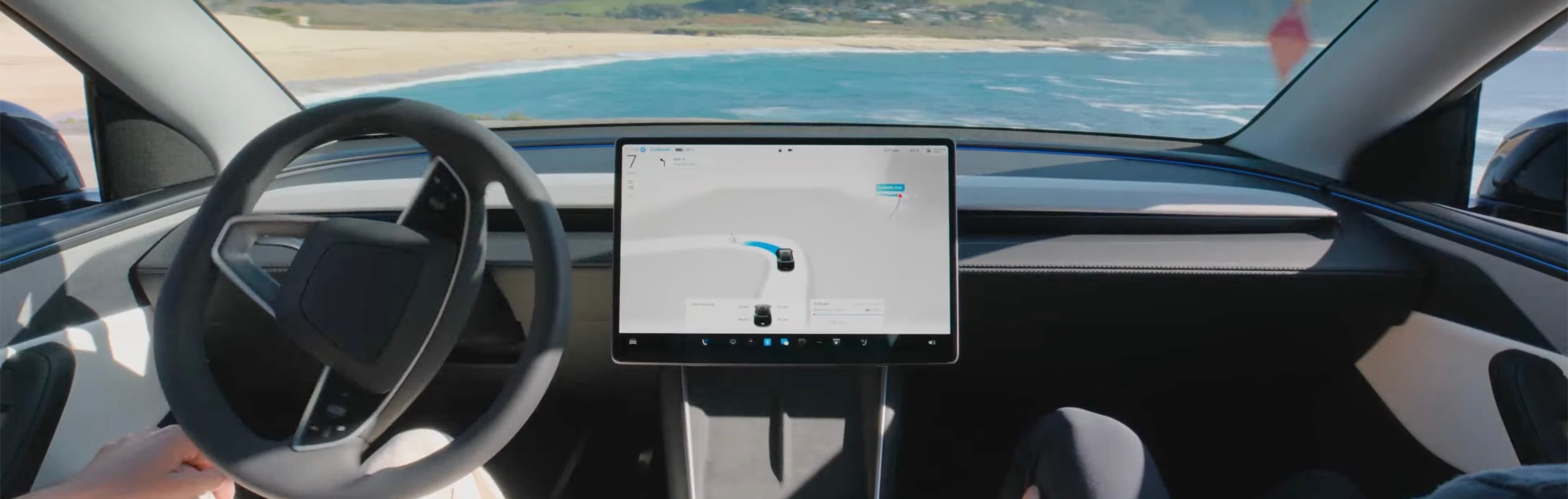
Tesla FSD and Autopilot are driver-assistance systems, not permission to stop driving. Treat both as supervised tools: understand the feature, watch the road, and be ready to take over.
What Owners Should Know
The confusing part is that owners use several words casually: Autopilot, Autosteer, Traffic-Aware Cruise Control, Enhanced Autopilot, FSD, and Full Self-Driving (Supervised). They are not all the same thing.
Tesla's current Autopilot support page describes Autopilot as advanced safety and convenience features intended to assist with the most burdensome parts of driving. Tesla also sells or offers Full Self-Driving (Supervised) as a more advanced supervised package where available.
The safety point is simple: the driver remains responsible. The screen may show lanes, vehicles, a path, or a planned maneuver, but a visualization is not a promise that the car understands everything around it. The useful owner mindset is not "the car drives itself." It is "the car may help with parts of the drive, and I am still the fallback system."
The Practical Difference
Traffic-Aware Cruise Control
Traffic-Aware Cruise Control manages speed and following distance when active. It is not a steering system by itself. The driver still steers, watches the road, and cancels or intervenes when conditions require it.
Autosteer
Autosteer can assist with steering within a detected lane when conditions allow. It still requires supervision. Lane markings, road shape, construction, weather, glare, unusual vehicles, and software behavior can affect performance.
Tesla's owner documentation is the controlling source for the exact vehicle because feature names, warnings, and availability vary by market, vehicle hardware, software version, and regulation.
Full Self-Driving (Supervised)
Full Self-Driving (Supervised) can attempt more complex supervised driving behavior where available, including route-following and maneuvers beyond basic lane keeping. The word that matters most is Supervised. It is not a robotaxi mode for private owners, and it does not remove the driver's duty to monitor and intervene.
Practical Steps Before You Use Either System
- Read the current in-car manual. Do this before relying on any driver-assistance feature, because software behavior and warnings can change.
- Separate feature names. Know whether you are using Traffic-Aware Cruise Control, Autosteer, Navigate-style behavior, or Full Self-Driving (Supervised).
- Start in simple conditions. Avoid testing new behavior in construction zones, heavy rain, complex city traffic, unfamiliar roads, school zones, or tight parking areas.
- Keep takeover simple. Practice canceling with the brake, steering input, stalk or wheel control, and touchscreen indicators as described by the current manual.
- Watch for overtrust. If you feel your attention drifting because the car seems smooth, that is exactly when the system becomes easier to misuse.
- Recheck after updates. New software can change alerts, comfort, routes, or how the car responds to edge cases.
How to Think About Safety Claims
Tesla publishes a Vehicle Safety Report that includes crash-rate data by driving mode. It is useful, but it should not be read like a simple product guarantee.
Ask three questions when reading any safety comparison:
- What road types and driving conditions are represented?
- Which features were active, and how were miles counted?
- Is the comparison adjusted for driver behavior, traffic density, weather, and route type?
Autopilot miles often occur on roads where driver-assistance systems are more likely to be used, such as divided highways. Manual-driving miles include a broader mix of roads and conditions. That does not make Tesla's report useless; it means owners should read it as one piece of evidence, not as a personal risk forecast for every drive.
The same caution applies to viral crash stories. A single crash does not prove every system is unsafe, and a smooth demo does not prove the system is safe in every scenario. The useful middle ground is to understand limitations before trust forms.
Tesla-Specific Recommendations
Do not buy a Tesla only because of a future software promise. Evaluate the vehicle you can use today: current feature availability, hardware, subscription or purchase terms, local regulation, driver-monitoring behavior, and your own comfort supervising it.
For a new owner, I would make the first week boring on purpose:
- Learn regenerative braking, gear selection, mirrors, cameras, wipers, lights, and alerts first
- Use basic cruise behavior only when the road is calm
- Add steering assistance after you know how to cancel it calmly
- Try FSD (Supervised) only after reading the current manual and understanding that it may make mistakes
If another driver uses the same car, do not assume they understand your settings. Driver-assistance features can feel normal after a few drives, but the first surprise is the dangerous one.
Common Misunderstandings
"FSD means autonomous"
Not for the current consumer feature. Tesla calls it Full Self-Driving (Supervised). The name is ambitious, but the operating instruction is still supervision.
"Autopilot is one feature"
Owners often say Autopilot when they mean different things. A safety discussion should identify the exact feature: speed control, lane steering, lane changes, navigation behavior, parking assistance, or FSD (Supervised).
"The car saw it on the screen, so it will react correctly"
The touchscreen visualization can help the driver understand what the system appears to be tracking, but it is not a complete safety guarantee. Keep looking outside first.
"If it worked yesterday, it will work the same today"
Road conditions, map data, camera visibility, traffic, weather, software, and feature availability can change. Treat every drive as a fresh supervision task.
Owner Notes
- Use first: basic cruise and clear manual controls before advanced assistance.
- Delay: FSD experimentation until the driver understands alerts, cancellation, and local rules.
- What matters daily: smooth operation is not the same as safe operation; supervision still has to be active.
- Common mistake: judging safety from a short demo video instead of reading Tesla documentation and testing gradually.
If I Were Buying Again
I would choose the car first and treat FSD as a separate software decision. The vehicle has to make sense without assuming future autonomy, and any assisted-driving feature should earn trust slowly.
FAQ
Is Tesla Full Self-Driving the same as Autopilot?
No. Autopilot commonly refers to driver-assistance features such as Traffic-Aware Cruise Control and Autosteer, while Full Self-Driving (Supervised) adds more advanced supervised driving behavior where available. Neither makes the car fully autonomous.
Does FSD mean I can stop paying attention?
No. Tesla labels the current system Full Self-Driving (Supervised), and the driver must remain attentive, keep hands ready, monitor the road, and take over whenever needed.
Is Autopilot safer than driving manually?
Tesla publishes safety-report data, but owners should read the methodology carefully. Different road types, feature use, driver behavior, vehicle mix, and reporting definitions affect comparisons.
Should a new Tesla owner use FSD immediately?
A new owner should first learn basic vehicle controls, driver-assistance alerts, cancellation behavior, and local rules. Try any assisted-driving feature gradually in simple conditions, not during a stressful first drive.
Can software updates change FSD or Autopilot behavior?
Yes. Driver-assistance behavior, availability, warnings, and feature names can change by software, vehicle hardware, region, and regulation. Confirm with the current in-car manual and Tesla documentation.